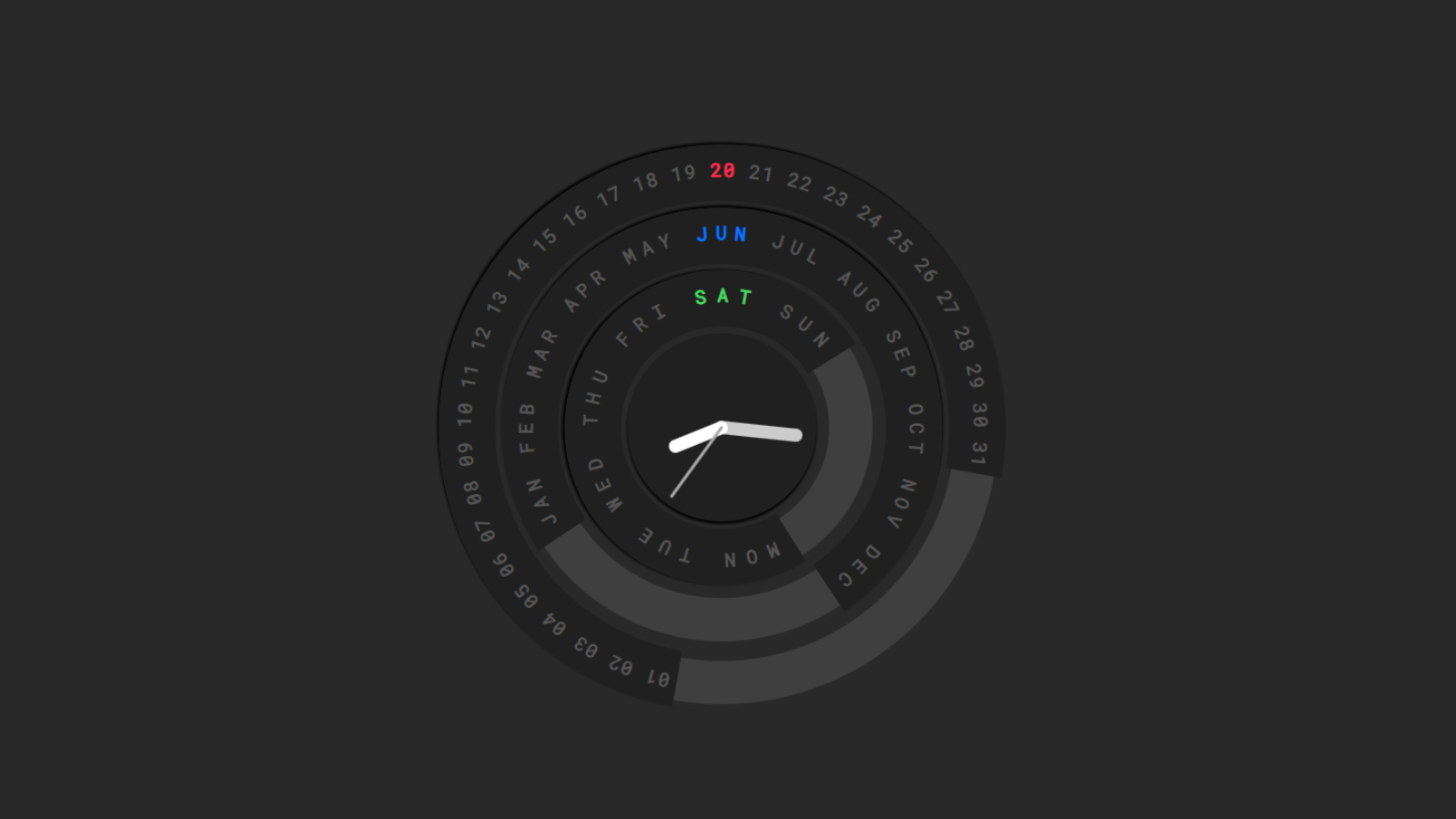
This code creates an animated Circular Calendar and Clock UI using HTML, CSS, JavaScript, jQuery, and the Lettering.js library. Instead of displaying the date in a traditional format, it presents the current day, month, and weekday on rotating circular rings. The page also contains a clock in the center with moving hour, minute, and second hands. The entire interface is designed to look modern and visually appealing.
At the beginning of the JavaScript section, several variables are declared, such as the current day, month, and weekday, along with configuration values like the number of sections in each ring and the colors used for highlighting. The rotateRing() function is one of the most important parts of the code. It calculates how much a ring should rotate based on the current date value and then highlights the corresponding text characters with a specific color. This makes the active day, month, or weekday stand out from the rest of the circular text.
The clockRotation() function is responsible for the live clock animation. It runs every second using setInterval(). Inside this function, a new Date object is created, and the current hours, minutes, and seconds are retrieved. These values are converted into rotation angles and applied to the clock hands using CSS transforms. As a result, the clock updates continuously and behaves like a real analog clock.
Another function, loadBars(), generates a simple visual chart using colored bars. It loops through the days that have passed in the current week and assigns each bar a random height. This creates a small animated dashboard-like effect beside the calendar. The bars don’t represent real data; they are mainly used to enhance the visual appearance of the interface.
The init() function initializes the entire application. It uses the Lettering.js plugin to split text into individual characters so that each character can be positioned around a circle. It then gets the current date, day, and month from JavaScript’s Date object. Using several setTimeout() calls, different rings gradually fade in and rotate one after another, creating a smooth startup animation. First the day ring appears, then the month ring, followed by the weekday ring, and finally the central clock becomes visible.
At the end of the file, there are a few scripts intended to protect the webpage. One script disables the right-click context menu and displays an alert message when a user attempts to right-click. Another script blocks the keyboard shortcut Ctrl + U, which is commonly used to view a page’s source code. While these measures may discourage casual users from inspecting the page, they do not provide real security because browser developer tools can still access the code. Overall, the project is a creative example of combining CSS transforms, animations, and JavaScript date functions to build an interactive circular calendar and clock.